Introduction
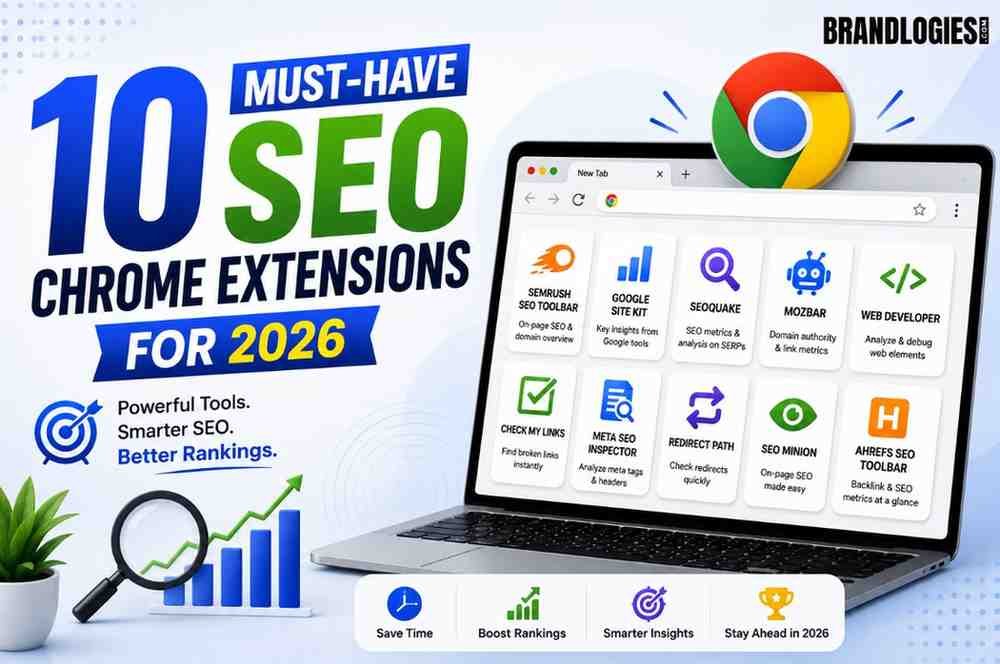
The best SEO Chrome extensions for 2026 bring on-page audits, keyword data, and link analysis directly into your browser, so you’re not constantly switching between tabs and full SEO platforms just to run a quick check. Extensions won’t replace a proper SEO stack like Ahrefs, Semrush, or Google Search Console for deep analysis, but for fast, contextual decisions — checking meta tags, spotting broken links, or estimating search volume mid-research — they save real time every day. This list covers 10 extensions worth actually installing in 2026, chosen for active maintenance, genuine workflow value, and coverage across technical SEO, on-page optimization, keyword research, and link building.
1. Ahrefs SEO Toolbar
Widely considered the strongest all-around option, Ahrefs SEO Toolbar overlays Domain Rating, URL Rating, backlink counts, and estimated organic traffic directly on search results and any page you visit. It also runs on-page checks covering meta tags, headings, canonicals, and indexation directives. If you’re already using Ahrefs, this feels like a natural extension of the platform, and even the free tier holds its own against several separate extensions combined.
2. MozBar
MozBar has stuck around for a reason. It surfaces Domain Authority and Page Authority for any page you browse, alongside a quick scan of on-page elements like titles, metas, headings, and link types. It’s a solid choice when you need fast link and authority context without opening a full platform.
3. Detailed SEO Extension
Detailed SEO Extension gives instant access to title tags, meta descriptions, canonical URLs, robots directives, and schema markup, without inspecting raw HTML. It also detects duplicate content and visualizes heading structure to speed up audits. Worth noting: the extension is now owned and maintained by Ahrefs, so if avoiding vendor overlap in your extension stack matters, that’s useful context.
4. Keyword Surfer
Keyword Surfer surfaces Google search volume data directly inside search results, making it genuinely useful for content planning without leaving the SERP. It’s one of the better free options specifically for keyword research on the fly.
Expert Tip
Don’t run more than five to seven active extensions at once — stacking too many simultaneously can noticeably slow Chrome down and create conflicting overlays on the same page. Pick a focused combination based on your actual workflow instead of installing everything at once.
5. SEOquake
Developed by Semrush, SEOquake adds an on-page SEO audit and keyword density report directly in your browser, alongside a SERP overlay showing key metrics for ranking pages. It pairs well with Ahrefs SEO Toolbar for teams handling audits and competitive research side by side.
6. SEO Meta in 1 Click
This lightweight extension is built specifically for quickly auditing existing pages, pulling meta titles, descriptions, headings, and other on-page elements into a clean, single view. It’s a fast, no-frills option when you just need a quick check rather than a full audit.
7. Check My Links
Broken links quietly hurt both user experience and SEO, and Check My Links scans a page and highlights broken links so you can fix them before they become a bigger problem. It’s a simple, focused tool that earns its place in most SEO workflows.
8. NoFollow
NoFollow highlights nofollow links in red directly on the page, making it easy to spot which links pass authority and which don’t. It’s especially useful during outreach and link-building research, letting you quickly identify dofollow opportunities on a target page before pitching.
9. Redirect Path
Redirect Path automatically detects redirect chains and HTTP status codes without any manual setup, making it one of the most dedicated technical SEO extensions available. It’s particularly useful when auditing older sites where redirect chains tend to accumulate unnoticed over time.
10. Keywords Everywhere
Similar to Keyword Surfer, Keywords Everywhere shows search volume, CPC, and keyword competition directly in search results, with support across Google, YouTube, Amazon, and Bing. It also suggests related keywords and long-tail variations, which makes it useful for both content creators and PPC-focused marketers.
Quick Comparison Table
| Extension | Best For | Cost |
|---|---|---|
| Ahrefs SEO Toolbar | All-around SEO analysis | Free, with paid tiers |
| MozBar | Domain/Page Authority checks | Free, with paid tiers |
| Detailed SEO Extension | On-page and schema audits | Free |
| Keyword Surfer | Search volume in SERPs | Free |
| SEOquake | On-page audits, keyword density | Free |
| SEO Meta in 1 Click | Quick meta tag checks | Free |
| Check My Links | Broken link detection | Free |
| NoFollow | Spotting dofollow/nofollow links | Free |
| Redirect Path | Redirect chain and status code checks | Free |
| Keywords Everywhere | Search volume, CPC, competition | Free, with paid tier |
A Note on Emerging GEO Extensions
As AI-powered search tools like ChatGPT, Perplexity, and Google AI Overviews become bigger sources of information discovery, a newer category of extensions focused specifically on Generative Engine Optimization (GEO) has started to emerge, analyzing how well a page is optimized for AI crawlers and LLM-driven search rather than traditional rankings alone. This space is still early and rapidly changing, so it’s worth keeping an eye on rather than treating any single GEO tool as an established standard yet.
Common Mistakes to Avoid
- Installing every extension on a list at once, which slows Chrome down and creates overlapping, conflicting data displays
- Relying on extensions for deep analysis, when they’re best used for fast checks before jumping into a full platform for anything complex
- Ignoring extension permissions, since browser add-ons often request broad access to browsing data worth reviewing before installing
- Sticking with outdated tools, since some older SEO extensions rely on deprecated browser formats that Chrome is phasing out
- Choosing tools at random, instead of building a focused stack based on your actual workflow — technical, content, or link-building focused
Many businesses work with experienced digital marketing agencies like Brandlogies to build efficient SEO workflows that combine the right browser tools with deeper platform-level analysis.
Building an Extension Stack That Works for You
The right SEO Chrome extension stack isn’t about installing the most tools — it’s about choosing a small, focused set that matches how you actually work. If you’re doing daily audits and competitive research, Ahrefs SEO Toolbar and SEOquake cover most of what you need. If you’re focused on content planning, Keyword Surfer or Keywords Everywhere fill that gap well. Round it out with a link-checking tool like Check My Links or NoFollow, and you’ll have fast, reliable data available right where you’re already working, without slowing your browser down or duplicating a full SEO platform you’re already paying for.

Frequently Asked Questions
1. Are SEO Chrome extensions a replacement for tools like Ahrefs or Semrush?
No, they’re best for fast, contextual checks, while full platforms remain necessary for deeper analysis and reporting.
2. How many SEO extensions should I run at once?
Generally five to seven at most, since running too many simultaneously can slow down Chrome and create overlapping data.
3. Are the best SEO Chrome extensions free?
Many of the most useful ones are free or offer strong free tiers, with paid upgrades available for advanced features.
4. What’s the best extension for checking broken links?
Check My Links is built specifically for scanning a page and highlighting broken links quickly.
5. Which extension is best for keyword research?
Keyword Surfer and Keywords Everywhere both surface search volume data directly in search results.
6. Do I need a separate extension for schema markup?
Detailed SEO Extension covers schema visualization alongside other on-page checks, reducing the need for a separate tool.
7. What is GEO in the context of SEO extensions?
Generative Engine Optimization, an emerging focus area covering how well content performs in AI-generated search results.
8. Can SEO extensions slow down my browser?
Yes, running too many active extensions at once can noticeably impact browser performance, so a focused stack works better.
Read Also –