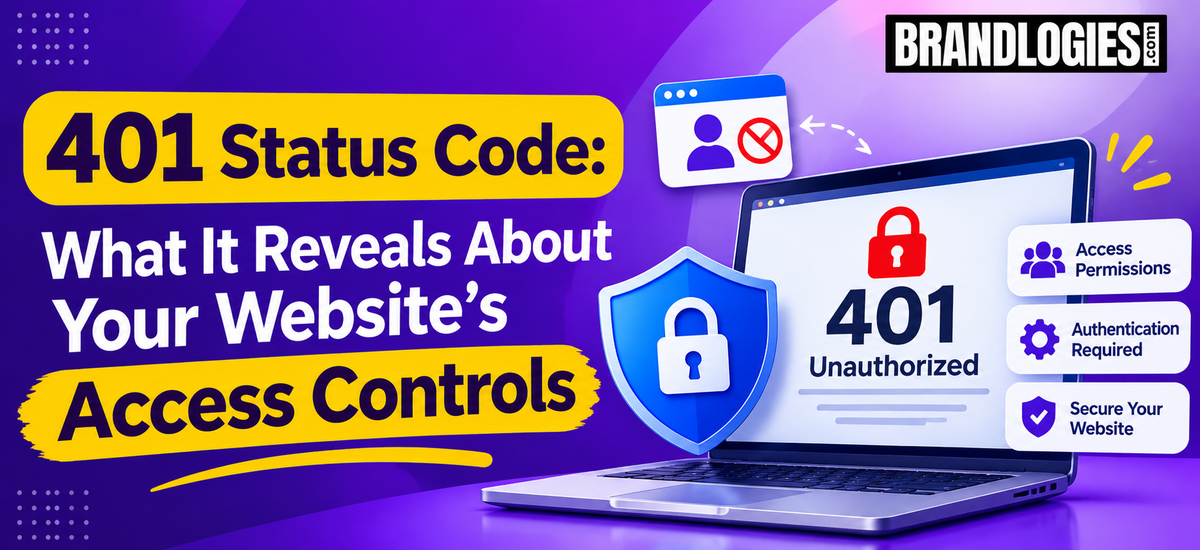
A website needs more than attractive design and useful content to deliver a smooth experience. It also needs proper access controls to make sure users and systems can reach the resources they are authorized to use. When those controls fail, or authentication information is missing, visitors may encounter a 401 status code.
The 401 status code is an HTTP response that generally indicates that authentication is required or that the credentials provided with a request are not acceptable. For website owners, it can be an important technical signal because repeated 401 responses may prevent legitimate users, applications, or search engine processes from accessing intended resources.
Understanding what a 401 status code means can help businesses identify authentication problems before they affect usability, website performance, or important digital workflows.
What Is a 401 Status Code?
A 401 status code is known as “Unauthorized.” Despite the name, it usually relates to authentication rather than simply meaning that a user has no permission.
When a server receives a request for a protected resource, it may require valid authentication credentials. If those credentials are missing, expired, invalid, or incorrectly configured, the server can return a 401 response.
For example, a user may try to access an account dashboard without being properly logged in. Similarly, an application making an API request may receive a 401 status code when its authentication token is invalid.
What Does a 401 Status Code Reveal About Access Controls?
A 401 status code can provide useful information about how authentication has been configured on a website or application.
It may indicate that a particular page, API endpoint, administration area, or other resource is protected. That protection can be appropriate when the resource contains private information or requires an authenticated account.
However, unexpected 401 responses can point toward configuration problems. Incorrect authentication settings, expired tokens, server rules, session issues, or changes to access-control systems can unintentionally block legitimate requests.
This is why website administrators should investigate repeated or unexpected 401 responses rather than treating them as ordinary website errors.
Common Causes of a 401 Status Code
There are several reasons a website may return a 401 status code.
Missing Authentication Credentials
The most straightforward cause is that the request does not contain the authentication information required by the server.
Invalid Login Details
Incorrect usernames, passwords, API keys, or authentication tokens can cause a server to reject a request.
Expired Sessions or Tokens
Authentication credentials may have a limited lifespan. When a session or token expires, a previously authenticated request may begin returning a 401 response.
Server Authentication Configuration
Web server settings, authentication middleware, plugins, or security systems can sometimes be configured incorrectly. A small configuration change can make a previously accessible resource require authentication.
API Authentication Problems
Websites and applications frequently communicate through APIs. If an API key, bearer token, or other authentication method is incorrect, the API may return a 401 status code.
How a 401 Status Code Can Affect User Experience
Unexpected authentication errors can create friction for website visitors. A customer attempting to access an account, submit information, or use a web application may be unable to continue.
For businesses, these interruptions can affect enquiries, customer accounts, subscriptions, purchases, or other important actions.
The impact depends on where the 401 response occurs. A protected administration page returning 401 may be completely normal. A customer-facing booking or account page unexpectedly returning 401 requires more immediate attention.
401 vs. 403: What Is the Difference?
The 401 status code and 403 status code are often confused.
A 401 response generally indicates that authentication is required or that the supplied authentication credentials are not valid. A 403 response generally means the server understood the request but refuses to authorize access.
In simple terms, 401 is commonly associated with authentication, while 403 is associated with authorization.
Understanding this difference can help developers and website administrators diagnose access-control problems more efficiently.
How to Troubleshoot a 401 Status Code
Start by checking whether authentication is actually required for the requested resource. If it is, verify the username, password, API key, session, or token being used.
For API-related problems, check whether the authentication header is correctly formatted and whether the token has expired.
Website administrators should also review server configuration, authentication middleware, security plugins, redirects, and recent changes to access-control rules.
Testing the affected URL with valid and invalid credentials can help identify whether the authentication system is behaving as expected.
Can a 401 Status Code Affect SEO?
A 401 response can become an SEO concern when it unexpectedly prevents search engines from accessing pages that are intended to be publicly available.
Public content should generally be accessible without authentication. If important indexable pages consistently return authentication-related errors, search engines may be unable to properly access and process those resources.
This makes technical monitoring important for businesses that depend on organic search visibility.
Brandlogies helps businesses identify technical SEO issues and improve website accessibility, performance, content structure, and search visibility as part of a broader SEO strategy.
Final Thoughts
A 401 status code is more than a technical message. It can reveal how a website handles authentication and whether its access controls are working as intended.
When authentication is intentionally required, a 401 response can be a normal part of a secure website. When it appears unexpectedly on public or customer-facing resources, it deserves investigation.
Regular technical monitoring, careful authentication configuration, and SEO-focused website audits can help businesses identify these issues before they create larger problems. With Brandlogies, businesses can strengthen their technical SEO foundation while making their online presence easier for users and search engines to access.

FAQs
1. What does a 401 status code mean?
A 401 status code generally means that authentication is required or that the authentication credentials provided with a request are missing or invalid.
2. Is a 401 status code a server error?
No. A 401 status code belongs to the HTTP 4xx client-error response category. It typically relates to authentication rather than indicating a server failure.
3. What is the difference between 401 and 403?
A 401 status code generally concerns authentication, while a 403 status code generally indicates that access is forbidden even though the server understands the request.
4. Can a 401 status code affect SEO?
Yes, if important public pages unexpectedly return 401 responses, search engines may have difficulty accessing and processing those pages.
5. How can I fix a 401 status code?
Check authentication credentials, sessions, tokens, server configuration, security settings, and API authentication. If the resource should be public, verify that authentication requirements have not been applied accidentally.
Read also: The Brandlogies Approach to Building Stronger Digital Brands in 2026